
Badminton Facility Management Software: A Complete Guide for Facility Owners
Learn how badminton facility management software streamlines court bookings, memberships, payments, staff scheduling, and reporting to help facilities operate more efficiently and scale with confidence.
Running a badminton facility gets harder as the business grows.
One court may be manageable with a calendar, spreadsheet, and a few messages. Add more courts, memberships, coaching sessions, recurring bookings, payments, and staff, and those separate systems start creating more work.
Badminton facility management software brings those operations together. Instead of managing court bookings in one place, payments somewhere else, and member information in a spreadsheet, facility owners can manage more of the business from one system.
This guide explains what badminton facility management software does, which features matter most, and what to look for before choosing a platform.
What Is Badminton Facility Management Software?
Badminton facility management software is a platform used to organize the daily operations of a badminton club or court facility.
A complete system may handle:
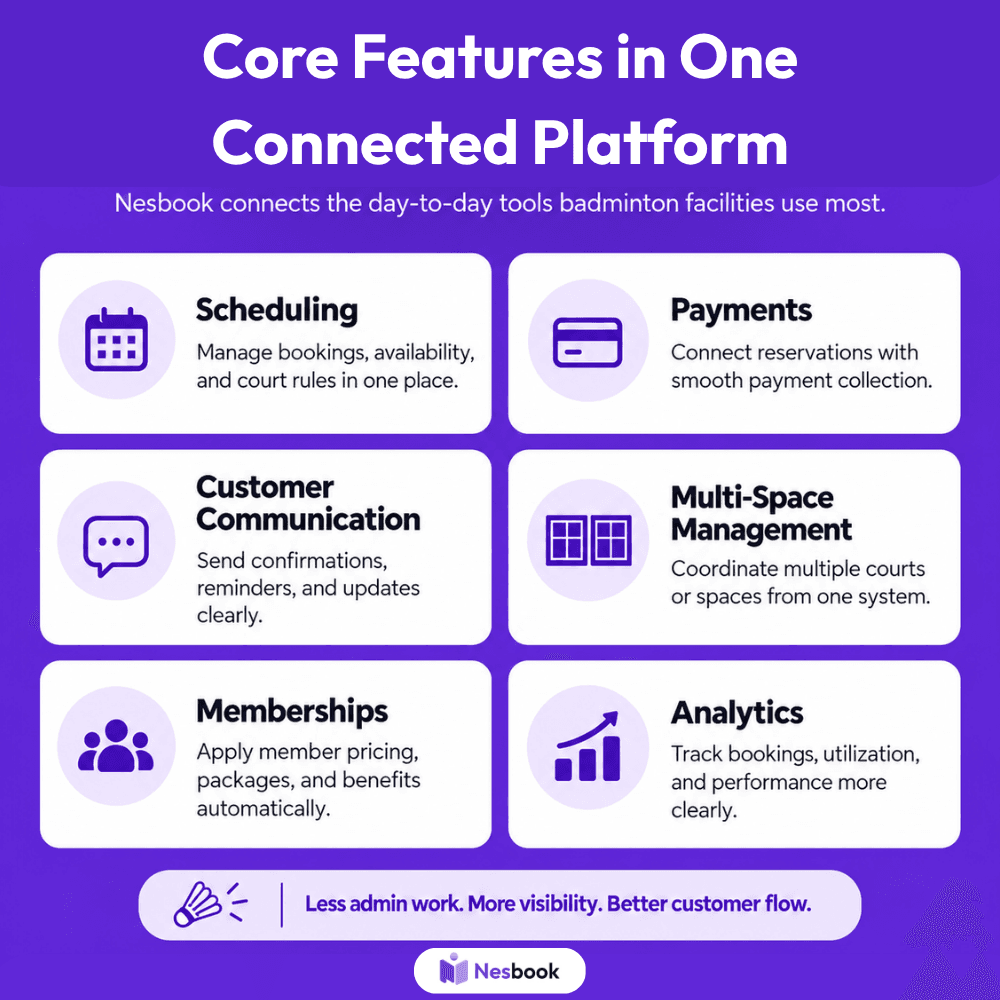
A basic booking calendar tells you when a court is reserved.
Facility management software should tell you much more: who booked it, whether they paid, whether they are a member, how often they play, and how that booking affects the facility’s revenue and utilization.
How these core functions work together
The biggest advantage of badminton facility management software is not simply having more features. It is having those features connected.
When court bookings, memberships, payments, scheduling, communication, and reporting operate in separate systems, staff often have to enter the same information more than once. A customer may book a court in one platform, pay through another service, and then have their membership status checked manually by staff.
An integrated platform reduces that duplication.
Court bookings and scheduling
Court bookings form the center of most badminton facility operations.
The software should show which courts are available, which are already reserved, and which are blocked for other uses.
Scheduling tools also help facilities avoid conflicts. For example:
- A coach should not be assigned to two lessons at the same time.
- A court reserved for a junior program should not appear as available for casual bookings.
The more activity a facility manages, the more important this coordination becomes.
Memberships and payments
Membership management becomes more useful when it connects directly to booking and payment activity.
A member may qualify for a discounted court rate, earlier booking access, included credits, or other benefits. Instead of asking staff to verify those details manually, the system can apply the appropriate rules when the customer books.
Payments can work the same way.
Court fees, membership charges, coaching fees, deposits, and other transactions can remain connected to the customer and reservation. This gives staff a clearer record of what has been paid and what may still be outstanding.
Customer communication and notifications
Every reservation creates information that needs to reach the customer.
That may include a confirmation, reminder, cancellation notice, payment receipt, or schedule change.
Automating these messages can save staff from repeatedly sending the same information by phone, text, or email.
It also gives customers clearer expectations about where they need to be and when.
Reporting and multi-space management
Once these activities are connected, facility owners can use the information for better reporting.
Instead of only seeing the number of bookings, they can review which courts:
- generate the most activity,
- when demand is highest,
- how much revenue different programs produce,
- and how members use the facility.
For operators managing multiple courts, rooms, or locations, this becomes even more valuable. A centralized view makes it easier to compare performance, coordinate schedules, and identify where additional capacity or marketing may be needed.
That is what separates a basic booking calendar from a broader facility management system.
Why Spreadsheets Become Difficult As Facilities Grow
Spreadsheets can work when a facility is small.
The problem is that they depend heavily on manual updates.
A booking may need to be entered in one sheet. Payment information may live somewhere else. Membership information might be stored in another file. Staff may then rely on calls, texts, or email to confirm changes.
That creates opportunities for:
- Double bookings
- Missed payments
- Outdated member information
- Scheduling conflicts
- Forgotten cancellations
- Poor reporting
- Extra administrative work
As the number of courts and customers increases, the amount of coordination increases too.
For more on the limitations of manual systems, see Why Online Badminton Booking Software Is a Must for Clubs in 2026.
Key Features To Look For In Badminton Facility Management Software
Real-time court booking
Players should be able to see available courts and reserve them without calling the front desk.
Real-time availability also helps prevent two customers from booking the same court.
Nesbook’s Online Booking Portal is designed around self-service reservations and live availability.
Smart scheduling
Badminton facilities often manage more than casual court rentals.
The schedule may include:
- Coaching sessions
- Leagues
- Tournaments
- Recurring groups
- Junior programs
- Private events
- Maintenance blocks
A useful scheduling system should keep those activities organized without creating conflicts.
Membership management
Membership information should connect directly with bookings and payments.
For example, the system should be able to recognize:
- Member pricing
- Booking privileges
- Membership expiration dates
- Renewal status
- Available credits or benefits
See Membership Management for Badminton Facilities: Structuring Plans, Renewals, and Retention for a deeper look at this area.
Integrated payments
Collecting payment during the booking process can reduce manual work at the front desk.
It can also help clubs keep better records of:
- Court revenue
- Membership payments
- Coaching fees
- Outstanding balances
- Refunds
Customer notifications
Automated confirmations and reminders reduce the need for staff to contact every player manually.
Notifications may include:
- Booking confirmations
- Upcoming reservation reminders
- Cancellations
- Schedule changes
- Membership renewals
Analytics and reporting
Good facility management software should help owners understand how the business is performing.
Useful reports may include:
- Court utilization
- Peak booking periods
- Revenue per court
- Membership growth
- Cancellation rates
- Recurring bookings
- Customer activity
For a deeper look at useful metrics, see Revenue Analytics Every Badminton Club Should Track.
How Facility Size Changes What You Need
Not every club needs the same system.
Small badminton clubs
A smaller club may mainly need:
- Online reservations
- Payments
- Basic membership tracking
- Reminders
- Simple reporting
Avoid paying for complex features you will never use.
Growing facilities
Once a club adds more courts, coaching, memberships, and programs, integration becomes more important.
Look for software that can connect:
Bookings + payments + memberships + scheduling + reporting
without forcing staff to duplicate information.
Multi-location operators
Facilities managing several locations need another level of visibility.
Useful features include:
- Location-level reporting
- Centralized customer records
- Staff permissions
- Multi-court scheduling
- Revenue comparisons
- Consistent membership rules
How Facility Management Software Can Improve Court Utilization
Empty court time cannot be sold later.
Once an unused 10 a.m. slot passes, that revenue opportunity is gone.
Management software can help facilities identify:
- Underused courts
- Quiet time periods
- Peak demand
- Repeat cancellations
- Recurring booking patterns
- Opportunities for off-peak programs
For example, a facility may discover that weekday mornings operate at 30% utilization while evenings are nearly full.
That suggests the solution is not necessarily adding more courts.
It may be creating demand during the hours that already exist.
Read How to Improve Court Utilization at Your Badminton Club for a fuller strategy.
How To Choose Badminton Facility Management Software
Start with your current problems
Don’t begin with the longest feature list.
Ask:
- What takes staff the most time?
- Where do booking mistakes happen?
- Are payments difficult to track?
- Are memberships handled manually?
- Are courts sitting empty?
- Do owners have enough reporting?
The right platform should address those problems first.
Test the customer experience
Book a court from a phone.
If the process is confusing for you, it will probably be confusing for players.
Look at how quickly someone can:
- Find a court.
- Choose a time.
- Create an account.
- Pay.
- Receive confirmation.
Think about future growth
Software that works for four courts may become limiting when the facility grows to twelve.
Consider whether the platform can support:
- More courts
- More members
- Coaching
- Events
- Additional staff
- Multiple locations
Switching platforms later can be much more disruptive than choosing a scalable system initially.
Is Badminton Facility Management Software Worth It?
For very small clubs, simple tools may be enough.
But as booking volume grows, the cost of manual administration grows too.
Facility management software becomes more valuable when it reduces repetitive work while giving owners better information about the business.
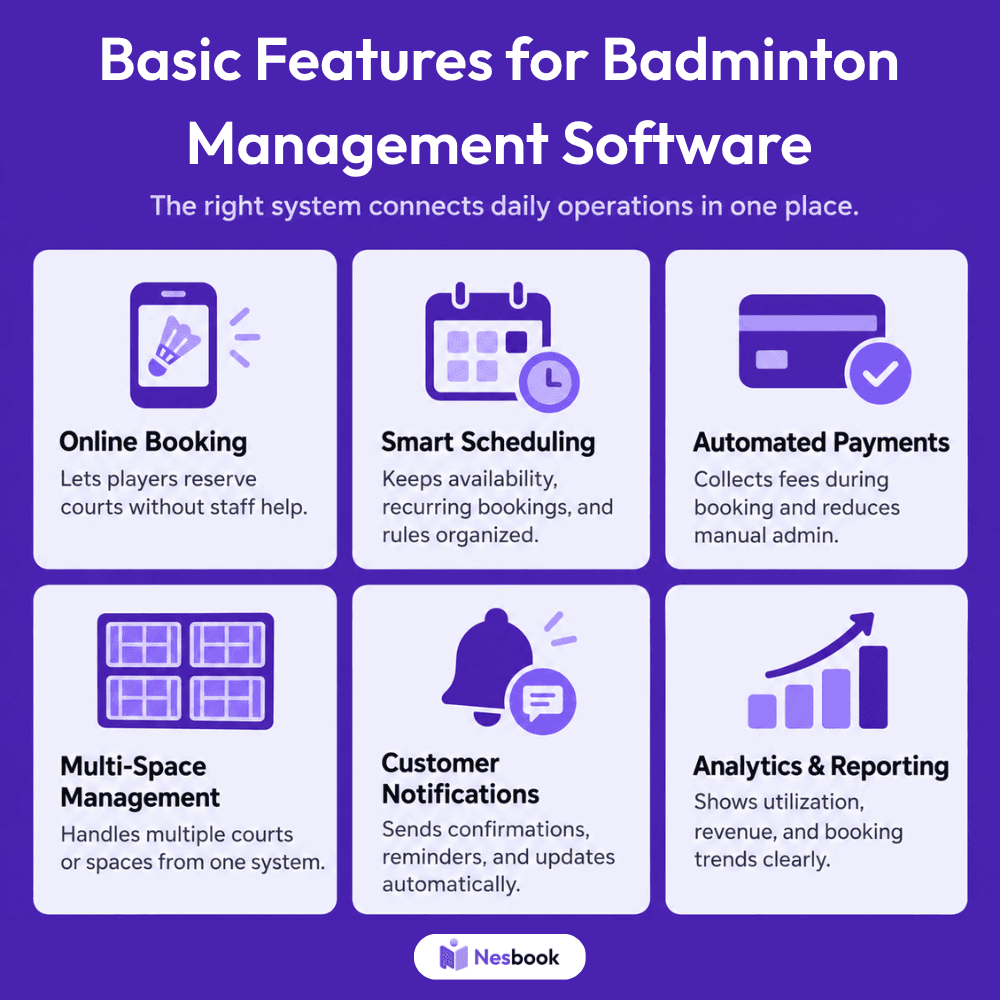
Nesbook combines online booking, smart scheduling, automated payments, multi-space management, customer notifications, and analytics in one platform.
The real goal isn’t simply replacing a spreadsheet.
It’s creating a system where bookings, customers, payments, and facility operations work together.
Ready To Simplify Your Badminton Facility?
Bring Your Bookings, Payments, and Memberships Together
If your staff is juggling courts, memberships, payments, and customer communication across several different tools, Nesbook can bring those workflows together in one place.