Coworking Booking Software Built for Shared Workspaces
Make it easy for people to find and book the workspace they need.
Nesbook brings reservations, memberships, payments, and workspace scheduling together — so your team spends less time managing bookings and more time growing your community.

The Real Cost of Managing a Workspace Manually
Double Bookings
Two members reserve the same meeting room and your team has to resolve the conflict.
Manual Reservations
Staff spend valuable time answering emails, calls, and messages just to reserve a room or desk.
Disconnected Payments
Bookings, invoices, memberships, and payments live across different tools.
Membership Tracking
Manually tracking plans, credits, renewals, and member usage becomes harder as you grow.
Unused Space
Desks and meeting rooms sit empty without a clear view of utilization and demand.
Limited Reporting
Without reliable data, it is difficult to understand which spaces and membership plans perform best.
Everything Your Workspace Needs
Give members an easier way to reserve space while giving your team one system for managing daily workspace operations.

Real-Time Reservations
Let members see availability and instantly reserve desks, rooms, and shared spaces.
Memberships & Packages
Manage memberships, booking allowances, packages, and credits from one platform.
Integrated Payments
Collect reservation fees, memberships, and workspace charges online.
Automated Notifications
Send booking confirmations, reminders, and reservation updates automatically.
Recurring Reservations
Create repeating reservations for teams, meetings, offices, and recurring workspace use.
Utilization & Analytics
Understand how desks, rooms, offices, and other spaces are actually being used.
One Platform to Manage Your Entire Workspace
From hot desks to private offices, keep every bookable space organized and available from one simple system.
Monday, Sep 14
8:00 AM - 10:00 AM
Team Meeting
Workspace Booking
1:00 PM - 2:30 PM
Client Presentation
Workspace Booking
9:00 AM - 10:30 AM
Project Planning
Workspace Booking
3:00 PM - 4:00 PM
Interview
Workspace Booking
9:00 AM - 5:00 PM
Day Pass
Workspace Booking
8:30 AM - 12:00 PM
Design Team
Workspace Booking
1:00 PM - 5:00 PM
Private Office Booking
Workspace Booking
10:00 AM - 12:00 PM
Workshop
Workspace Booking
4:00 PM - 6:00 PM
Community Event
Workspace Booking
New Booking
Booking Details
Space
Booking title
Your Details
Please provide your contact information.
First name *
Last name *
Telephone *
Payment and cancellation/changes
Your card will not be charged immediately. However, the workspace may charge it later based on the booking policy.
Cancellation/change options
Cancellation and modification rules may depend on the workspace and reservation type.
VISA ending in 4242
Expires 2/2028
By providing your card information, you allow this workspace to charge your card for eligible payments.
Additional Information
Please review and confirm the following.
Built for Coworking Spaces of Every Size

Independent Coworking Spaces
Running a smaller coworking space should not mean managing reservations through spreadsheets, messages, and separate payment tools. Nesbook gives members one place to book desks, rooms, and shared spaces while your team manages everything from one dashboard.
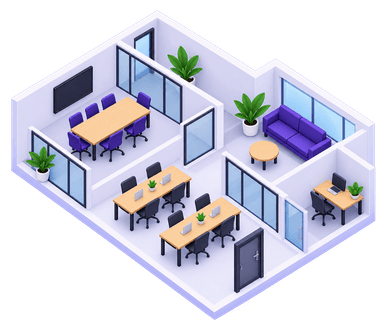
Multi-Space Workspaces
Manage hot desks, meeting rooms, private offices, event spaces, and other bookable resources from one calendar. Nesbook keeps availability synchronized so members always know what is available.
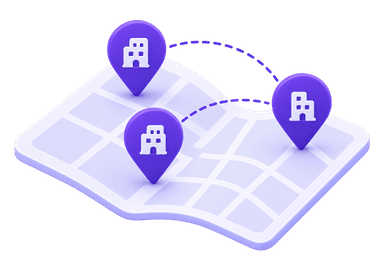
Multi-Location Operators
Keep reservations, memberships, payments, and workspace activity organized across multiple locations without maintaining separate systems for every property.
Why Generic Scheduling Software Falls Short for Coworking
Generic Scheduling Tools
Built for Shared Workspaces
One Booking System for Every Type of Workspace
Manage different spaces with different availability, reservation rules, and pricing from the same platform.
Hot Desks
Let members reserve available desks when they need a place to work.
Meeting Rooms
Manage meeting room availability, capacity, and reservations.
Private Offices
Schedule offices for individuals, teams, and recurring members.
Event Spaces
Reserve larger shared spaces for workshops, events, and community programs.
Frequently Asked Questions
What is coworking space booking software?+
Coworking space booking software helps operators manage reservations for desks, meeting rooms, offices, and other shared spaces from one platform. Members can view real-time availability and make reservations online while operators manage scheduling, payments, memberships, and workspace activity.
Can members book desks and meeting rooms online?+
Yes. Nesbook allows members and guests to view available spaces and reserve desks, meeting rooms, offices, and other resources online without contacting staff for every booking.
Can I manage different types of spaces from one calendar?+
Yes. You can manage multiple resource types from one system, including hot desks, dedicated desks, meeting rooms, private offices, event spaces, studios, and other bookable areas.
Does Nesbook support coworking memberships?+
Yes. Nesbook can support membership plans, packages, credits, and booking allowances so operators can manage both recurring members and occasional users from the same platform.
Can members make recurring reservations?+
Yes. Recurring reservations can be used for weekly meetings, regular team workspace bookings, dedicated office time, classes, or other repeating reservations.
Can I track how often each workspace is being used?+
Yes. Reporting and utilization data help operators understand which spaces are heavily used, which remain underutilized, and when demand is highest throughout the day or week.
What is the difference between generic scheduling software and coworking booking software?+
Generic appointment software is usually designed around appointments with people. Coworking operators manage physical spaces with different capacities, availability rules, pricing, memberships, and reservation durations. Nesbook is structured around bookable spaces, making it better suited for desks, rooms, offices, and shared facilities.
Can Nesbook manage multiple coworking locations?+
Yes. Operators with multiple locations can manage reservations, spaces, payments, and member activity within the same platform instead of maintaining separate scheduling systems for every site.
Ready to Run a Smarter Coworking Space?
Stop managing desks, rooms, memberships, and payments across separate systems. Nesbook brings your workspace operations together so your team can spend less time on admin and more time creating a great member experience.