
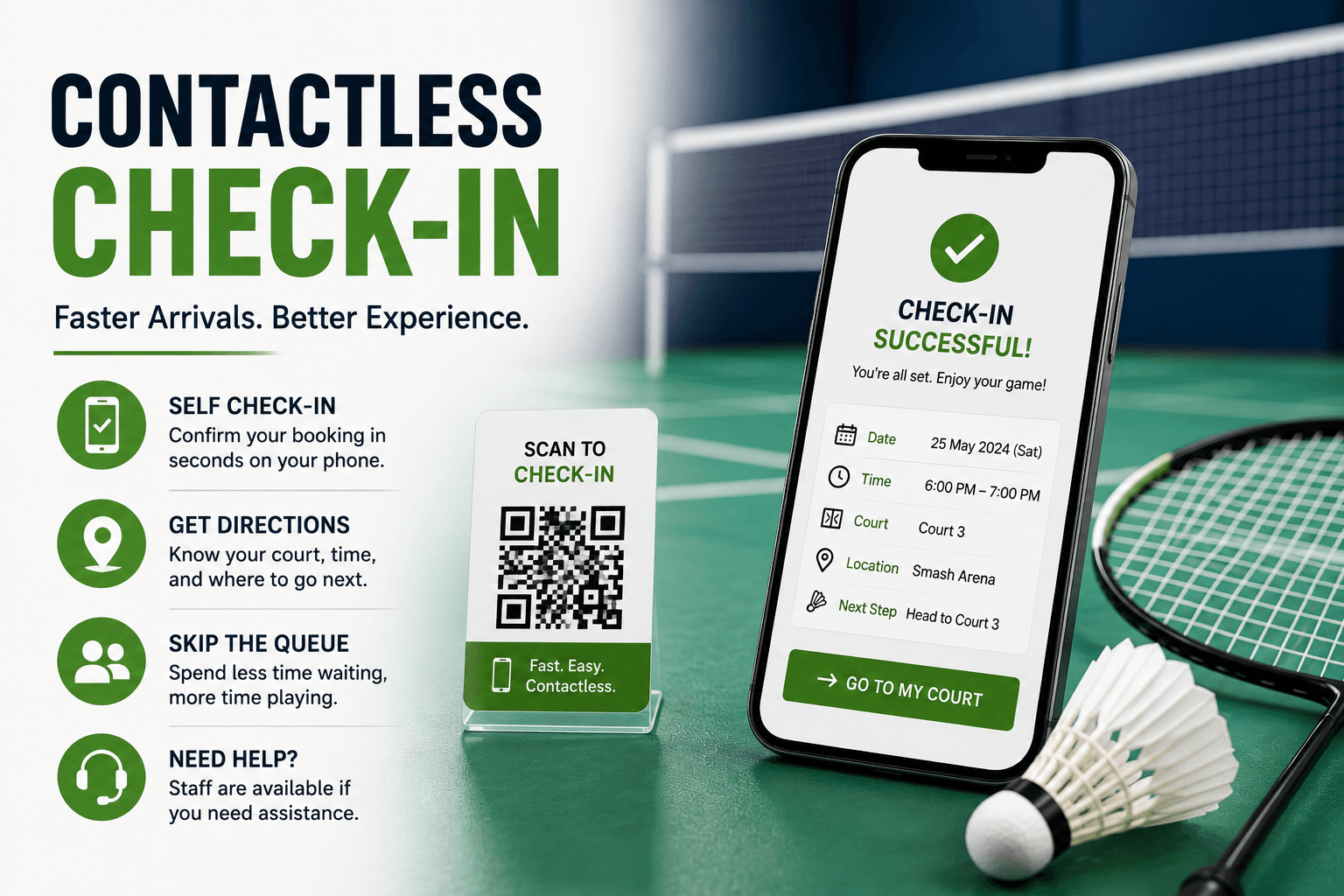
Contactless Check-In for Badminton Facilities
Learn how contactless check-in can improve badminton facility arrivals through mobile workflows, self-check-in, clear fallbacks, and staff support.
Several players arrive at once. Staff search for reservations, repeat court directions, mark attendance, and handle payment or equipment issues in the same queue.
Contactless check in can make routine arrivals easier by letting players identify their booking, confirm arrival, and receive clear next steps with minimal staff interaction.
It should not remove the human option. The strongest workflow moves straightforward arrivals forward while directing first-time visitors, accessibility needs, payment problems, and technical failures to staff support.
What Is Contactless Check-In?
Contactless check-in is an arrival process that minimizes direct staff interaction while digitally confirming the player’s booking, arrival status, and next instructions.
Players may access the process through:
- A secure mobile link
- Customer account
- Mobile webpage
- QR code
- Facility kiosk
- Access code
- Mobile app
- Staff-supported self-service device
Contactless does not automatically mean unattended. Players may still need assistance with equipment, payment, membership checks, first visits, accessibility, groups, or booking conflicts.
How Is It Different from Digital or QR Check-In?
Digital check-in is the broad category covering any arrival recorded through a digital interface, including staff-assisted workflows.
Read Digital Check-In for Badminton Facilities for a broader explanation.
Contactless check-in is designed specifically to reduce direct staff interaction.
QR code check-in uses a scanned code to open or begin the arrival process.
Read QR Code Check-In for Badminton Facilities for a detailed QR workflow.
Unattended entry goes further by allowing customers to access the facility without staff being present. This requires additional access, safety, and operational controls.
Start with the Arrival Problem
Do not begin by choosing QR signs, apps, or kiosks. First identify what is currently going wrong.
| Current Problem | Possible Contactless Response |
|---|---|
| Slow reservation lookup | Secure booking link |
| Routine front-desk queue | Mobile self-check-in |
| Repeated court questions | Court instructions after check-in |
| Inconsistent attendance | Digital arrival record |
| Disconnected systems | Arrival linked to booking data |
| Late no-show identification | Current arrival visibility |
A poorly designed self-service process may simply move the queue from the desk to a screen. Contactless arrival should therefore be reviewed as one stage of the complete booking journey rather than as a standalone technology project. How to Improve the Badminton Booking Experience at Your Facility explains how booking, payment, communication, check-in, and repeat visits should work together.
Follow a Five-Step Contactless Workflow
1. Access
The player opens the workflow through a booking link, account, QR code, kiosk, app, or access code.
Use the simplest method that meets the facility’s needs. Do not require an app download when a secure mobile webpage is sufficient.
2. Verify
Confirm only essential details:
- Facility
- Court or activity
- Date and time
- Customer or organizer
- Participant count
- Membership status
- Equipment request
- Outstanding balance
Avoid asking players to re-enter information already stored.
3. Confirm
Record an appropriate arrival status, such as:
- Checked in
- Arrived early
- Arrived late
- Awaiting court
- Equipment pickup required
- Staff assistance required
4. Enter
Give the player clear next steps:
- Court number
- Start time
- Entrance instructions
- Route to the court
- Equipment pickup point
- Delay information
- Support option
5. Support
Provide immediate staff assistance when the booking cannot be found, payment is incomplete, access is denied, or the player cannot use the digital workflow.
Keep Different Statuses Separate
Booking, payment, arrival, and access statuses answer different questions.
Booking Status
- Confirmed
- Awaiting payment
- Canceled
Completed
- Payment Status
- Pending
- Successful
- Failed
- Refunded
Arrival Status
- Not arrived
- Checked in
- Arrived late
- Assistance required
Access Status
- Not active
- Granted
- Denied
- Manual assistance required
- Expired
A useful combined message might be:
Checked in — staff assistance required for outstanding payment.
Recording arrival should not automatically grant entry when another requirement remains unresolved.
Give Players Clear Instructions
The main pages of a check-in site should acknowledge key information about a player's visit and give clear instructions. It should include the following information: Check-in completed, which reservation, assigned court, session start time, entry information, equipment collection information, and how to request assistance, if necessary.
A friendly confirmation message should help the player to follow the rest of the instructions, for example, the next one could say where to enter and where to pick up rental equipment. A simple message such as ‘Success’ doesn't give enough information and doesn't give customers a clear next step.
Design Mobile Check-In for Real Conditions
Players may be walking, carrying rackets, standing outdoors, using one hand, or dealing with poor connectivity.
A strong mobile workflow should provide:
- Large touch controls
- Clear labels
- Minimal typing
- No horizontal scrolling
- Fast-loading pages
- Visible selected states
- Helpful errors
- Obvious confirmation
- A visible support action
Test the process on real phones rather than only in a desktop preview.
Use QR Codes Carefully
QR codes can open a check-in page, identify an entrance, or begin booking lookup.
Use:
- Official facility branding
- A recognizable domain
- Regular checks for tampering
- A secure web destination
- No sensitive information embedded directly
- Additional verification for sensitive actions
- A non-QR alternative
Scanning a QR code begins the workflow. It does not automatically prove identity, physical attendance, or booking ownership.
Plan for Technical Failure
Prepare for:
- Dead phones
- Poor signal
- Wi-Fi outages
- Expired links
- Damaged QR codes
- Login problems
- Wrong entrances
- Payment mismatches
- System outages
- Group organizers arriving late
Use a simple fallback:
- Search by name or booking reference.
- Verify the reservation manually.
- Record arrival through a staff system or temporary list.
- Provide court and access instructions.
- Reconcile the digital record later.
A contactless process is not reliable when it works only under perfect conditions. Check-in failed
Improve Staff Efficiency Through Exception Management
Contactless check-in may reduce routine booking searches, repeated data entry, manual attendance marking, and basic court-direction questions.
Staff can then focus on:
- First-time visitors
- Payment problems
- Equipment
- Accessibility needs
- Group arrivals
- Court conflicts
- Delays
- Complaints
- Safety concerns
The goal is not to eliminate staff. It is to direct human attention toward situations where judgment and support add value.
Track Contactless Check-In Performance
| Metric | What It Measures |
|---|---|
| Adoption rate | Contactless check-ins compared with eligible bookings |
| Completion rate | Successful check-ins compared with starts |
| Failure rate | Failed or abandoned check-ins |
| Average check-in time | Time from opening to completion |
| Staff-assistance rate | Check-ins requiring human help |
| Queue time | Wait for arrival assistance |
| Arrival accuracy | Digital records compared with physical attendance |
| Support rate | Check-in questions compared with eligible arrivals |
Segment results by first-time versus returning, member versus guest, mobile versus kiosk, QR versus direct link, and individual versus group bookings.
Speed should not be evaluated without failure, assistance, and accuracy.
How Software Makes Contactless Arrivals a Breeze
The connected software that manages your facility is capable of tying together a whole bunch of different things - like reservations, schedules, payments, customer info, comms, check-in and reporting. This basically lets you manage arrivals in a much more streamlined way.
Nesbook, for example, can help badminton facilities link up all those different things so you can manage self-check-in, comms and all the rest of it - which means you can get arrivals under control using a consistent workflow.
What sort of QR or mobile app or kiosk or access control or other unattended entry type thing you get really depends on the platform and how you've set it up.
Frequently Asked Questions
What's all this about Contactless Check-in for Badminton places anyway?
It's when you get an arrival process that keeps staff out of the way but still records bookings, arrival and gives players the lowdown on courts and getting in.
How does Contactless badminton check-in work?
Well, player opens up the secure process, verifies booking, makes sure they're there, gets told what court or access they need, and - if there's some issue stopping them - contacts staff to sort it out.
What happens if a player can't use the contactless workflow?
Well, you've got to have some alternatives lined up - things like staff lookup, a reference number, kiosk, printout, or just old-fashioned front desk assistance.
Can booking software support contactless check-in?
You bet. Some of the systems are capable of tying reservations, payments, customer records and self-checking together. What the actual features are though really depends on what platform you're using.
Conclusion
The idea of contactless check-in should make arrivals a lot smoother for routine business without losing any of that clarity, accessibility, security or human support that's important.
So first off you need to identify the arrival problem, make sure you're looking at the right reservation, get the booking and payment status sorted, make it clear what comes next - and also be prepared for when things go wrong.
Then afterwards you measure how many people completed, how many failed, how often people needed help, how long they had to wait, and how accurate your arrival tracking is - before you think about taking it to the next level.
Learn More
Want to know more about how Nesbook can help with all the different bits that'll get your facility managing arrivals on a day to day basis?