
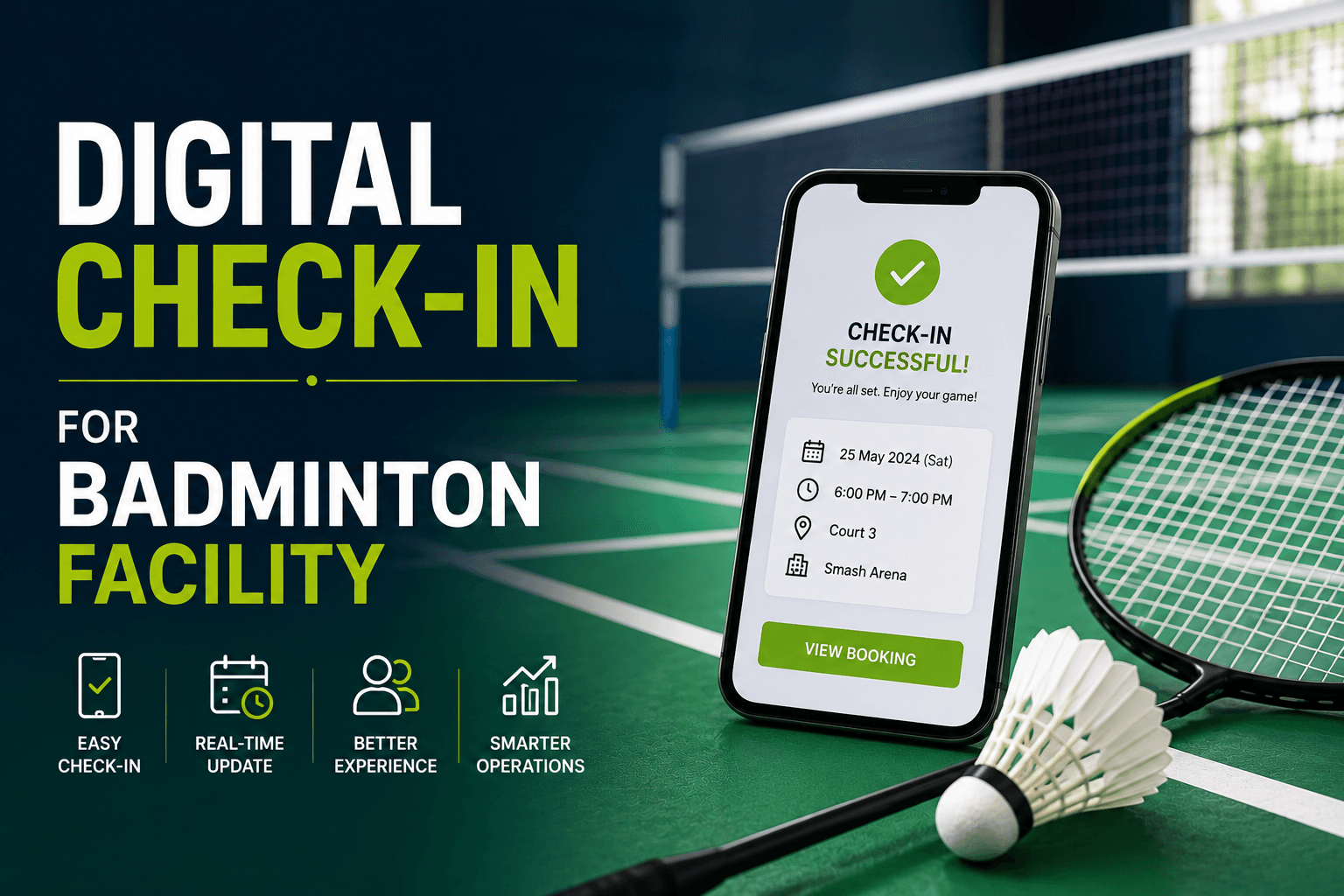
Digital Check-In for Badminton Facilities
Learn how badminton digital check-in can improve arrival workflows, staff efficiency, attendance tracking, and the player experience at your facility.
Several players arrive at the same time. Staff search for reservations, check payment details, answer court questions, and manually record attendance while a queue forms.
A well-designed badminton digital check in process can make arrival more organized. It identifies the correct reservation, records attendance, provides clear next steps, and helps staff focus on customers who genuinely need assistance.
Digital check-in should support the wider badminton booking experience, not simply replace the front desk with another screen.
What Is Digital Check-In?
Digital check-in is a process in which a player or staff member confirms arrival through an interface connected to the facility’s booking or attendance records.
Possible interfaces include:
- Mobile web pages
- Customer accounts
- Facility tablets
- Self-service kiosks
- Mobile apps
- Staff dashboards
- Secure booking links
- QR-based workflows
Digital does not necessarily mean unattended. Players may still need staff support for equipment, payment issues, membership checks, first visits, junior procedures, or accessibility needs.
Start with the Arrival Problem
Facilities should define the problem before choosing technology.
| Current Problem | Possible Digital Response |
|---|---|
| Slow booking searches | Secure reservation lookup |
| Long routine queues | Self-service arrival confirmation |
| Inaccurate attendance | Digital arrival status |
| Repeated court questions | Court instructions after check-in |
| Disconnected records | Arrival linked to reservation data |
| Late no-show identification | Faster visibility into unarrived bookings |
A poorly designed kiosk or mobile workflow may simply move the queue rather than remove it. Check-in should therefore be reviewed as part of the complete customer journey, from selecting and paying for a court to arriving and playing. See How to Improve the Badminton Booking Experience at Your Facility for the full journey.
Understand the Different Check-In Models
Staff-Assisted Digital Check-In
A staff member finds the booking and records arrival through a digital dashboard.
Self-Service Digital Check-In
The player checks in through a mobile page, account, app, tablet, or kiosk.
Contactless Check-In
The workflow minimizes direct staff interaction. Read Contactless Check-In for Badminton Facilities for a closer look at this model. Staff-Assisted Digital Check-In
QR Code Check-In
The player scans a code to begin or open the arrival workflow. See QR Code Check-In for Badminton Facilities for more detail.
These approaches may overlap, but they are not identical.
Follow a Five-Step Digital Check-In Workflow
1. Identify the Booking
The player or staff member locates the reservation through:
- A secure booking link
- Customer account
- Booking reference
- QR code
- Name with limited verification
- Staff search
- Kiosk lookup
The process should retrieve the existing reservation rather than asking the customer to enter everything again.
2. Verify Essential Details
Confirm only what is needed to deliver the booking correctly:
- Facility
- Court or activity
- Date and time
- Customer or organizer
- Participant count
- Membership eligibility
- Equipment request
- Outstanding balance
Check-in should not become another marketing or registration form. membership eligibility
3. Confirm Arrival
Possible arrival statuses include:
- Checked in
- Arrived early
- Arrived late
- Awaiting court
- Equipment pickup required
- Staff assistance required
4. Direct the Player
Show the next step clearly:
- Court number
- Start time
- Route to the court
- Equipment collection point
- Changing-room information
- Delay notice
- Support option
5. Record the Status
Staff should be able to see:
- Who has arrived
- Which players need help
- Which bookings remain unconfirmed
- Which payments remain unresolved
- Which reservations may become no-shows
Keep Booking, Payment, and Arrival Status Separate
These statuses answer different questions.
Booking Status
- Awaiting payment
- Confirmed
- Canceled
- Completed
- No-show
Payment Status
- Pending
- Successful
- Failed
- Refunded
Arrival Status
- Not arrived
- Checked in
- Arrived late
- Assistance required
- Visit completed
A useful status might be:
Checked in — staff assistance required for outstanding payment.
This is more accurate than marking the entire booking complete.
Give Players a Clear Success Message
A successful digital court check-in must have a clear indication that the process was completed and all necessary booking information must be shared. Players should be told that they have been checked in, the booking that they were booked for, the assigned court, time of session commencement, availability of the equipment and also when they're being assisted by staff before the play starts.
The confirmation message is essential to avoid confusion, and it is best to let players know what to do before they go to a court. The “Check-in complete” is not enough to give the necessary guidance and information.
Adapt the Workflow for Different Customers
Returning players may value fast identification, minimal verification, and direct court instructions.
First-time visitors may need:
- Parking guidance
- Entrance directions
- Facility maps
- Equipment information
- Court rules
- Front-desk support
Group bookings also require clear rules. The facility should decide whether only the organizer checks in, every participant records attendance, or a hybrid process is used.
The workflow should also explain what happens when the organizer arrives late or participants arrive separately.
Improve Staff Efficiency Through Exception Management
Digital check-in may reduce routine tasks such as:
- Searching paper lists
- Re-entering customer information
- Manually marking attendance
- Repeating court directions
- Switching between disconnected systems
- Reconciling attendance later
Staff can then focus on:
- First-time visitors
- Payment problems
- Court conflicts
- Equipment issues
- Accessibility needs
- Group arrivals
- Delays
- Customer support
The goal is not simply to remove staff. It is to move staff attention toward situations where human help adds value.
Make Accessibility Part of the Main Process
The workflow should support players who:
- Do not own a smartphone
- Have low battery
- Have poor connectivity
- Use assistive technology
- Need keyboard navigation
- Need larger controls
- Need language support
- Prefer staff assistance
Use clear labels, large touch targets, text-based error messages, logical screen order, and a visible option for human support.
Digital check-in should add convenience without removing other ways to enter the facility. Self-service kiosks
Provide Helpful Errors and a Reliable Fallback
A useful error explains:
- What went wrong
- What information remains saved
- What the player should do next
- Whether the booking remains valid
- How to get help
Instead of:
Check-in failed.
Use:
We could not find a booking with that reference. Check the code in your confirmation or ask the front desk to search by name.
Facilities must also prepare for:
- Dead phones
- Internet outages
- Kiosk failure
- Expired links
- Damaged QR codes
- Wrong locations
- Duplicate bookings
- Account-access problems
- Wider system outages
A fallback process may involve searching by name or reference, recording attendance manually, giving court instructions, and reconciling the digital record later. HM
Protect Booking Information
Use secure links, official domains, limited customer-data displays, role-based staff access, and cleared kiosk sessions.
Avoid displaying full customer lists or placing sensitive personal information directly inside QR codes.
The level of verification should match the risk. Ordinary court arrival may need only limited verification, while payment or account changes may require stronger checks. OSASP
Track Digital Check-In Performance
Useful metrics include:
| Metric | Calculation or Meaning |
|---|---|
| Adoption rate | Digital check-ins ÷ eligible bookings |
| Completion rate | Successful check-ins ÷ check-ins started |
| Failure rate | Failed or abandoned check-ins ÷ check-ins started |
| Average check-in time | Time from start to completion |
| Staff-assistance rate | Check-ins needing help ÷ check-ins started |
| Queue time | Average wait for arrival support |
| Arrival accuracy | Recorded arrivals compared with physical attendance |
| Support rate | Check-in questions ÷ eligible arrivals |
Segment results by first-time versus returning players, members versus guests, mobile versus kiosk, and individual versus group bookings.
Do not judge the system by speed alone. A fast process with a high failure rate is not a strong customer experience.
Pilot Before Expanding
Begin with a limited pilot, such as:
- One location
- Returning members
- Standard court bookings
- Selected evening hours
- Mobile check-in
- Staff backup available
Measure completion, failures, staff assistance, queue time, attendance accuracy, and player feedback.
Test the failure path as seriously as the successful workflow before expanding to every booking type.
How Software Can Support Arrivals
Connected software can help staff access reservation details, schedules, payment information, customer records, court assignments, and operational reports from more consistent data.
Nesbook can help badminton facilities connect reservation details, schedules, payments, and customer records so staff can manage arrivals using more consistent booking information.
Software still needs clear procedures, accessible alternatives, accurate records, and staff oversight.
Frequently Asked Questions
What is digital check-in for a badminton facility?
It is an arrival process in which a player or staff member confirms attendance through an interface connected to the facility’s reservation or attendance records.
Does digital check-in replace front-desk staff?
Not necessarily. It may reduce routine booking searches, while staff continue supporting first-time visitors, payments, equipment, accessibility needs, groups, and technical problems.
What happens if a player cannot use digital check-in?
The facility should offer staff lookup, booking-reference search, a kiosk, printed confirmation, or manual attendance recording.
Is digital check-in the same as QR or contactless check-in?
No. Digital check-in is the broader process. QR check-in uses a scanned code, while contactless check-in minimizes staff interaction.
Conclusion
Digital check-in should be more than an addition to the front desk; it should enhance the clarity of the process as it is run.
A good process will ensure the right booking is done, only capture the required information, accurately document the vehicle's arrival, clearly communicate to the player and provide staff with instant visibility of exceptions.
It should also be accessible and continue to function if technology fails, via a reliable manual process.
Learn More
Learn more about how Nesbook can help connect reservation details, schedules, payments, and customer records so your facility can manage arrivals and booking operations more consistently.