
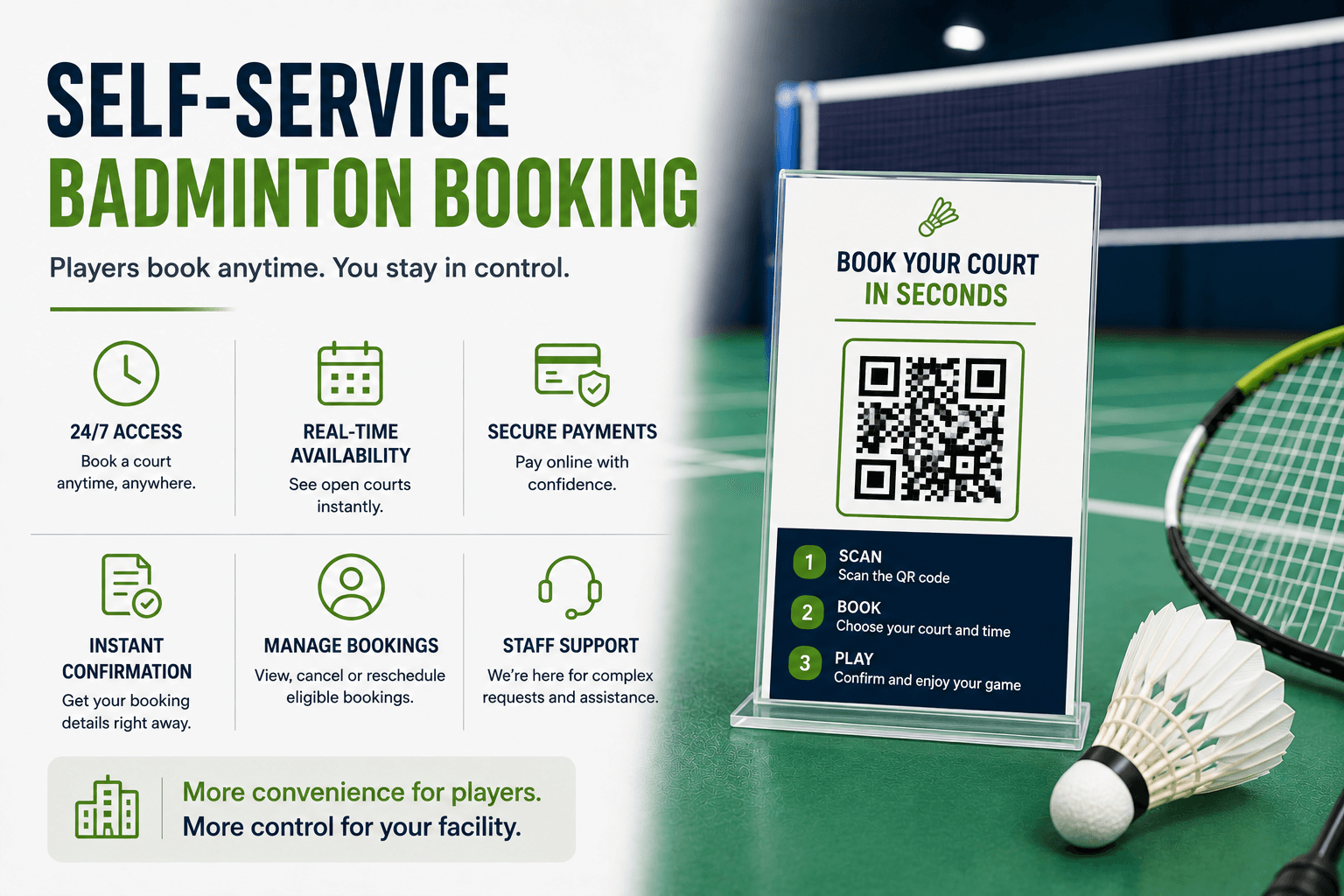
Self-Service Badminton Booking: Why Players Expect It Today
Learn how self-service badminton booking gives players 24/7 mobile access while facilities retain control over availability, payments, policies, and support.
You know, a player will sometimes decide at around midnight that they need to book a court for the next day. But with old-fashioned phone or email systems, they've got to send a request off in the hopes someone at the front desk will get back to them eventually
But with self-service badminton booking, they can pop up on their phone, look at what's available, pick a time that suits them, pay when they need to and get confirmation all without having to sit around waiting for the office to open the next morning.
Of course, this doesn't mean the staff are out of a job, it just means players get to handle all the routine booking tasks while staff can focus on the day-to-day stuff - scheduling, pricing, the rules and the exceptions that can sometimes come up.
What Is Self-Service Badminton Booking?
Self-service badminton booking is basically just a way of letting players see what courts are available, pick one out, pay for it if they need to, and then sort out their bookings on their own without needing staff to do every little bit.
Depending on the facility and platform, players may be able to:
- View available courts
- Select a location, date, and time
- Choose booking duration
- Add equipment
- Apply membership benefits
- Use packages or credits
- Pay online
- Receive confirmation
- Review upcoming bookings
- Cancel or reschedule where permitted
- Repeat a previous reservation
These actions should always operate within rules defined by the facility.
Why Players Value Online Self Booking
Many players appreciate having the ability to make simple booking requests themselves.
Self-service options can be helpful in terms of making a reservation outside of front-desk hours, getting immediate availability information, not having to wait for a staff member to respond, exercising greater control over the booking process, taking advantage of mobile technologies, having more straightforward payment and confirmation procedures, managing bookings more easily, and being able to make repeated bookings faster.
At the same time, offering digital services should not eliminate the option for people to request human help, as some may feel more comfortable or need further assistance.
Make Booking Available Beyond Front-Desk Hours
Online self booking may allow players to check availability after work, coordinate a session with friends in the evening, or reserve a court early in the morning.
However, 24/7 booking access does not mean:
- The facility is open 24 hours
- Every court is always available
- Staff support operates continuously
- Refunds are processed immediately
- Unattended entry is included
The booking page should clearly display operating hours, available time slots, closures, maintenance periods, cancellation conditions, and support hours.
Make Mobile Booking Easy
Players may book while commuting, leaving work, coordinating with friends, or looking for a last-minute court.
A useful mobile booking experience should include:
- Readable court availability
- Large time-slot buttons
- Simple date navigation
- Clear selected states
- Minimal typing
- Visible prices
- Mobile-friendly payments
- Helpful error messages
- Fast confirmation
- A visible support option
For more usability guidance, see How to Create a Faster Badminton Booking Experience.
Mobile booking should feel designed for a phone rather than like a desktop page reduced to a smaller screen. responsive and usable from mobile devices
Show Availability Players Can Trust
Show availability that self-service bookers can trust. Self-service booking solutions are only as good as the accuracy of their availability calendars.
The availability should reflect all existing reservations, recurring bookings, coaching, or events, tournaments, facility closures for maintenance, held courts, blackouts, staff holds, and any other location specific rules or restrictions.
Availability seen by customers should be pulled from or synchronized with the same calendar used within the staff or admin panel. Having different public and staff facing availability leads to confusion, frustration, and double-booking.
Guest Booking or Customer Accounts?
Guest booking may be useful for:
- First-time players
- Occasional visitors
- Tourists
- Parents making one reservation
- Corporate participants
- Customers who do not want another password
Accounts may offer more value to:
- Members
- Frequent players
- Package holders
- Credit users
- Families
- Customers managing several bookings
A balanced process may allow an easy first reservation and offer account creation when it provides a clear benefit, such as booking history, membership pricing, remaining credits, or faster repeat booking.
Follow the View, Book, Pay, Manage, Return Journey
View
Players should see the facility, court, available times, duration, price, membership conditions, and equipment options.
Book
Collect only the information needed to create and operate the reservation.
Pay
The customer completes any required deposit or full payment. Opening a payment page does not mean the transaction succeeded.
Manage
Eligible customers may view, cancel, or reschedule bookings within the facility’s policies.
Return
These five stages form part of the wider player journey. How to Improve the Badminton Booking Experience at Your Facility explains how availability, booking, payment, preparation, arrival, and repeat reservations should connect.
Keep Booking and Payment Status Separate
Booking status and payment status answer different questions.
Booking Status
- Held
- Awaiting payment
- Confirmed
- Canceled
- Completed
- Expired
Payment Status
- Not started
- Pending
- Requires action
- Successful
- Failed
- Refunded
A clear message might say:
Payment received — your Court 2 reservation is confirmed for 6:00–7:00 p.m.
When another step is required, say:
Your payment requires another step. The court is not yet confirmed.
Customers should never have to guess whether they successfully reserved a court.
Send Immediate and Useful Confirmation
A booking confirmation should be sent to the player, giving them immediate and useful information to ensure they have everything they need for their visit.
This should include, but not be limited to, information about the facility/location, court number, date/time, length of booking, confirmation status, payment information, equipment, cancellation policy, arrival instructions, and support/contact details.
The confirmation status should also be available to the player in their account or booking reference for easy access and management of their booking.
After confirmation, Automated Booking Reminders for Badminton Facilities can help players remember the reservation and prepare for arrival.
Let Players Manage Eligible Bookings
Self-service may allow players to:
- View upcoming reservations
- Cancel
- Reschedule
- Review payment status
- Download receipts
- Add bookings to a calendar
- Repeat a previous reservation
The facility should define which bookings can be changed, how close to the start time changes are allowed, whether refunds or credits apply, and when staff approval is required.
Self-service controls should enforce the facility’s policies rather than bypass them.
Keep the Facility in Control
A suitable booking system should let staff define:
- Operating hours
- Court availability
- Booking duration
- Advance-notice requirements
- Booking horizon
- Member and guest pricing
- Deposits
- Eligibility rules
- Blackout dates
- Recurring reservations
- Buffers
- Capacity limits
- Special-event restrictions
Players control routine choices within boundaries established by the facility.
Keep Human Support Available
Self-service can reduce routine availability calls, manual data entry, and back-and-forth messages. Staff can then focus on complex groups, accessibility needs, memberships, payment failures, refunds, conflicts, and customer support.
It should not become the only booking route.
Staff-assisted booking may remain important for customers who need language help, use assistive technology, lack digital confidence, have an unsupported payment method, or are arranging a complex event. badminton facilities
Plan for Booking Failures
Possible problems include:
- A court becoming unavailable during checkout
- Payment failure
- Lost internet connection
- Expired booking session
- Login problems
- Duplicate submission
- Wrong facility selection
- Missing confirmation
- Booking-page outage
- Provide specific recovery instructions.
Instead of:
Something went wrong.
Use:
This court became unavailable before payment was completed. Choose another time or contact reception for assistance.
Where possible, preserve the player’s selections, allow payment retry, prevent duplicate bookings, and provide booking-reference lookup. what to do to fix the problem
What to Look for in Booking Software
Before selecting a platform, test whether it:
- Shows current court availability
- Works well on mobile
- Supports guests and members
- Connects payments to reservations
- Sends clear confirmations
- Allows eligible booking changes
- Gives staff control over schedules and policies
- Supports recurring bookings
- Allows staff-assisted reservations
- Provides useful reporting
- Handles multiple courts or locations
- Recovers clearly when checkout fails
Nesbook can help badminton facilities connect real-time court availability, online reservations, payments, memberships, customer records, notifications, scheduling, and reporting in one booking workflow.
Frequently Asked Questions
What is self-service badminton booking?
It is a process that lets players view availability, choose a court, pay when required, and manage eligible reservations without staff completing every routine step.
Why do players value online self booking?
It allows players to check availability and reserve courts when convenient, including outside front-desk hours, while receiving faster confirmation and greater control over booking details.
Should badminton facilities allow guest booking?
Guest booking may reduce friction for first-time and occasional players. Accounts are often more useful for members, package holders, and frequent customers.
Can players cancel or reschedule their own bookings?
Yes, where facility rules allow it. The system should enforce deadlines, price differences, refund or credit policies, and bookings that require staff approval.
Does self-service booking replace front-desk staff?
No. It can handle routine reservations while staff support accessibility needs, groups, memberships, payments, refunds, conflicts, and complex requests.
What should clubs look for in self-service booking software?
Look for current availability, mobile usability, connected payments, guest and member options, configurable policies, booking management, confirmations, assisted booking, reporting, and clear failure recovery.
Conclusion
Self-service badminton booking gives players more control over routine reservations without removing operational control from the facility.
A strong system should show reliable availability, work well on mobile, connect payment and booking status, support eligible booking changes, preserve staff-defined rules, and keep human assistance available.
The best approach is not simply putting a calendar online. It is creating a complete booking journey that players can trust and staff can manage.
Start Free Trial
Start your free trial to explore how Nesbook can connect real-time court availability, online booking, payments, memberships, customer records, notifications, scheduling, and reporting in one system.