
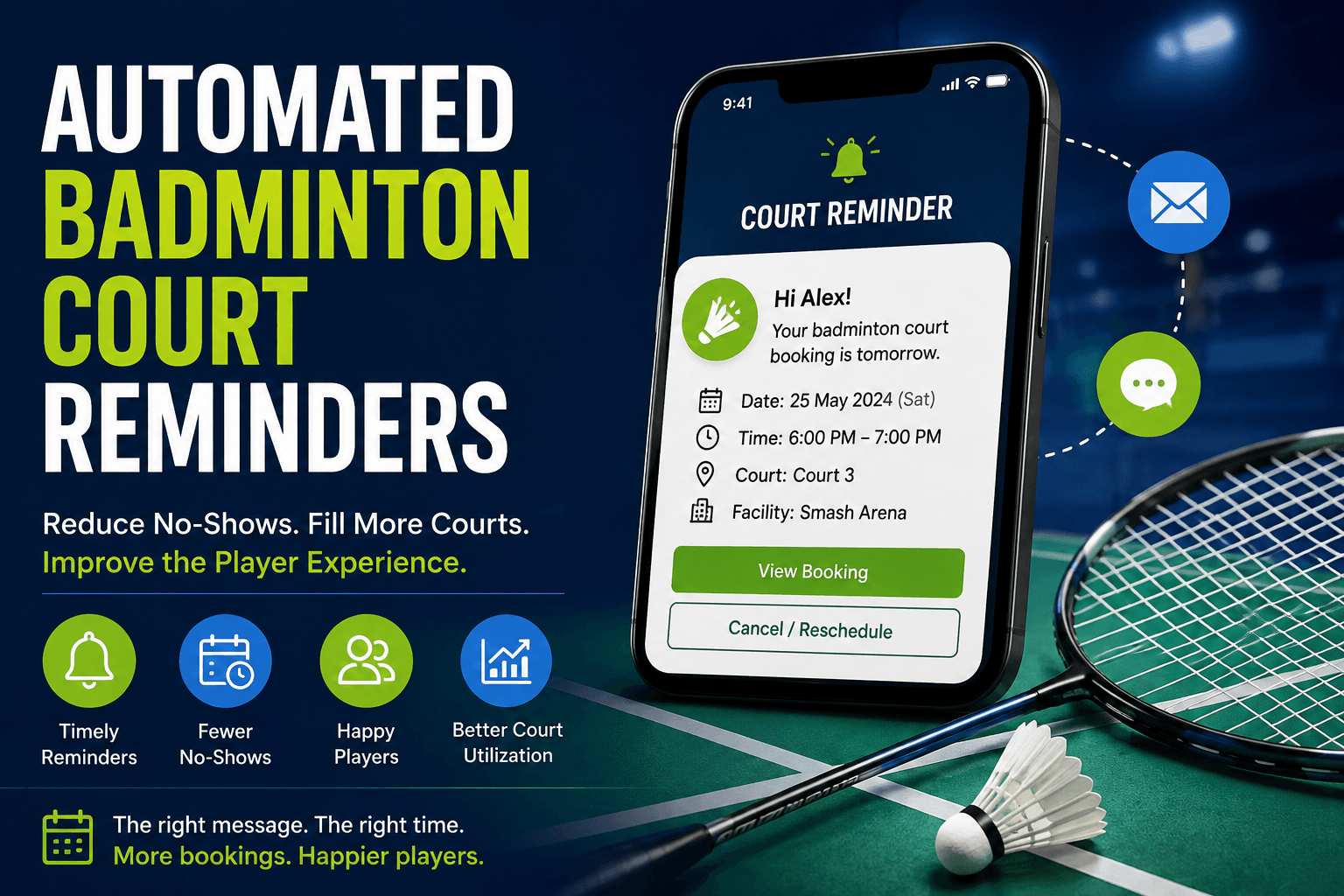
Automated Booking Reminders for Badminton Facilities
Learn how to use badminton booking reminders through SMS and email, choose the right timing, reduce missed bookings, and automate customer communication.
A player books a court a few days ahead, gets zilch in the way of reminders and then promptly forgets the time or shows up at the wrong place altogether. And then the customer's plans change, but they can't easily cancel so the poor court just gets left sitting there with no one using it.
Automated badminton court reminders can really help prevent those kinds of disasters from happening in the first place. The best reminders do more than just send a "hey, you've got a court booked" type message. They give the player all the details, at the right time, and make it easy for them to decide to go, cancel, reschedule or even ask for help.
Why Automated Booking Reminders Matter
Automated reminders may support:
- Better booking visibility
- Earlier cancellations
- More time to refill released courts
- Clearer arrival preparation
- Fewer repetitive customer questions
- Less manual front-desk work
- More consistent communication
However, reminders cannot solve all problems related to missed bookings. There are still cases when players can miss the scheduled time due to various reasons, such as illness, transportation issues, schedule changes, incorrect contact information, or misunderstanding within the group.
The only objective of the reminder service is to ensure that the attendance is convenient for customers and provide them with an effortless option to cancel the booking in case of any changes. NIH
Reminders are only one stage of the complete player journey. They work best when combined with a booking process that also provides clear confirmations, payment status, check-in instructions, and cancellation options. Learn more in How to Improve the Badminton Booking Experience at Your Facility.
Separate Confirmations from Reminders
Booking confirmations and reminders serve different purposes, so it's worth keeping them separate.
A booking confirmation is sent as soon as the reservation is made, or when payment has gone through. This one lets the customer know exactly what they've booked, when it's due to take place, and where it's happening - and most importantly whether the booking is actually confirmed.
A booking reminder is sent out just before the actual visit. Its main purpose is to keep the reservation front and centre, so that all the important details like arrival times and any last minute changes are still visible.
A change notification will give you the low down on any changes to court time, time of day, location or payment status.
A cancellation confirmation pops up to verify that the booking was actually cancelled and to let you know whether a refund or credit is going to be issued.
Each message should have one clear purpose. Read Why Every Badminton Facility Should Send Booking Confirmations for a complete confirmation checklist.
Trigger Messages from Current Booking Data
Automated booking reminders should respond to real reservation events.
Possible triggers include:
- Booking created
- Payment completed
- Payment failed
- Defined time before arrival
- Cancellation deadline approaching
- Court changed
- Booking rescheduled
- Customer canceled
- Facility closure
A basic workflow may look like this:
- The reservation is created.
- A confirmation is sent.
- A reminder is scheduled.
- The customer changes or cancels the booking.
- The original reminder is stopped.
- Updated communication is sent when needed.
Outdated reminders should never continue after a cancellation or reschedule. schedule automated reminder messages
When Email Reminders Work Best
Email reminders need to occur when the players need the most detail about their booking. As such, the email should have all pertinent information on it, such as the booking’s date and time, facility and court address, directions, parking information, equipment needed, preparations, policies, reminder links to the calendar, group, or any other relevant information, and ways to contact someone for questions.
It is good practice to put the most important details first in the email, including directions and means of managing or cancelling the booking. Additionally, long introductions should be avoided, as most customers are likely to read the email on their phones, and a mobile screen is not as conducive to reading as a full-sized monitor. As such, the emails should be optimized for mobile viewing. W3
Should You Use SMS, Email, or Both?
One channel is not always better than the other.
| Channel | Best Use |
|---|---|
| SMS | Short, urgent, near-term information |
| Detailed instructions, policies, directions, and calendar links | |
| Both | Complex, high-value, or long-lead bookings |
A combined workflow may be used for private coaching, tournaments, corporate events, or multi-court reservations.
The two channels should complement each other. For example, email may be used to send out the preparation and confirmation details, whereas SMS may remind the client shortly before the start of the game. At that, not all the information should be sent via one channel without a specific purpose.
Set Timing Around the Booking
There is no universal reminder schedule for every badminton facility.
Timing should reflect:
- Booking lead time
- Cancellation deadline
- Reservation type
- Booking value
- Preparation requirements
- Customer preference
- Facility operating hours
A flexible framework is:
Immediate Confirmation
Sent after booking or payment.
Policy-Aware Reminder
Sent while the player can still cancel or reschedule within the facility’s rules.
Near-Arrival Reminder
Sent close enough to provide useful arrival information.
A booking made several weeks in advance may need more communication than a court reserved for later the same day.
Align Reminders with the Cancellation Policy
A reminder sent before the cancellation deadline can help players release courts early enough to be offered to someone else.
Include:
- Cancellation deadline
- Refund or credit relevance
- Cancel or reschedule link
- Support contact
For example:
Plans changed? Cancel or reschedule before Friday at 4:00 p.m. using this link.
The deadline shown in the reminder must match the policy accepted during booking.
For a broader attendance strategy, read How to Reduce No-Shows at Your Badminton Club.
Make Every Reminder Actionable
Make sure that every reminder you send tells the customer exactly what action they should take next – and makes it easy for them to do so. Include options to view or manage their booking, add it to their calendar, confirm, cancel, reschedule, get directions, ask for help etc. The main action should stand out and be done quickly.
Preferably use verbs as calls-to-action, such as “Manage your booking”, “Cancel or reschedule”, “View court details” or “Get directions”. Avoid vague buttons such as “Click here” without explanation. Make sure it takes them to the right place (so they don’t have to find their booking again). Click here
Avoid Notification Fatigue
More reminders do not automatically improve attendance.
Too many messages may lead to:
- Messages being ignored
- Customer complaints
- Opt-outs
- Higher messaging costs
- Important updates being overlooked
Avoid sending reminders after cancellation, after check-in, or with old details following a reschedule.
Operational messages should also remain focused. Mixing unrelated promotions into reminders can distract from the booking information and change customer expectations.
Track Reminder Performance
Useful metrics include:
| Metric | Calculation or Meaning |
|---|---|
| Reminder delivery rate | Delivered reminders ÷ reminders sent |
| Failure rate | Failed reminders ÷ reminders sent |
| Reminder action rate | Reminder-driven actions ÷ delivered reminders |
| No-show rate | No-shows ÷ bookings expected to attend |
| Cancellation lead time | Time between cancellation and booking start |
| Recovered booking rate | Rebooked canceled slots ÷ released canceled slots |
| Support contact rate | Reminder-related contacts ÷ delivered reminders |
| Opt-out rate | Opt-outs ÷ delivered messages |
Segment the results by SMS vs. email, type of booking, member vs. guest, peak vs. off-peak, court rentals vs. coaching.
Test one variable at a time, such as channel, timing, length, or the inclusion of a cancellation link. failed reminders
How Software Supports Reminder Workflows
Connected booking software may help facilities use reservation data, schedule communication, update messages after changes, stop reminders after cancellation, and reduce manual staff work.
Nesbook can help badminton facilities connect reservation details, schedules, payments, and customer records so booking communication can be managed more consistently.
Software supports the workflow, but staff still need to review failed messages, incorrect records, closures, complaints, and unusual booking changes.
Frequently Asked Questions
What's the deal with automated badminton booking reminders then?
Automated messages that pop up at the right time to remind players about upcoming courts, lessons, or programs - and maybe even give 'em a heads up on how to get there and how to manage their booking.
What should badminton booking reminders actually say?
Well, it needs to have the basic stuff like what court you're on, when you're playing, where it is, how to get there, when you need to cancel by, and what action you need to take. If they need some extra help, chuck in a link or two.
Can players just cancel or reschedule through a reminder?
Yeah, if your booking software is set up to do it right, they should be able to. Just make sure the reminder knows which booking it's dealing with and confirms any changes.
Can booking software automate these reminder messages for me?
Booking software can use the data it's got on bookings and customers to help send out the right messages at the right time, which means less work for you. Of course, what features it can do depends on the system you've got and how you've set it up.
Conclusion
To get the most out of booking reminders, you need to get them spot on - think accuracy, timing, relevance and - at the end of the day - making it as easy as possible for people to handle their bookings.
So use the data you've got to send messages that genuinely matter. Pick the right communication channel for the job and make sure people can easily sort out their bookings with minimal fuss.
The whole point of a reminder system is not to be sending out a million messages - it's about sending useful reminders that help keep people on schedule and stop them showing up too late - or better still - spotting they can't make it in time so you can fit in another booking.
Learn More
Want to know more about how Nesbook can help make your booking system work better? How a system that connects up all your reservation data, schedules, payments and customer info can help make managing booking comms a whole lot easier.